Introduction
The world of laptops has changed dramatically in recent years. When most people buy a laptop, they focus on specifications like processor, RAM, graphics card, and display. But one element often overlooked is the back design of the laptop. The backside plays a crucial role in both functionality and aesthetics. From cooling vents and port placement to materials, durability, and even style, the laptop’s back design can directly impact performance, comfort, and long-term usage.
In 2025, laptop manufacturers are putting more effort into making the back panel smarter, sleeker, and stronger. Whether you are a gamer looking for maximum cooling, a business professional who needs durability, or a student who wants something stylish, the back design of a laptop matters more than ever.
In this ultimate guide, we’ll explore everything about laptop back design — its purpose, functionality, types, advantages, examples of best models, and future trends.
Why Laptop Back Design Matters
Many users think the laptop’s backside is just a cover, but in reality, it is one of the most important parts of the overall design. Here’s why:
- Cooling & Airflow: Vents at the back help manage heat, keeping the CPU and GPU at safe temperatures.
- Port Layout: HDMI, USB, and charging ports are often placed at the back for easy cable management.
- Durability: A strong back panel ensures the laptop survives scratches, dust, and occasional drops.
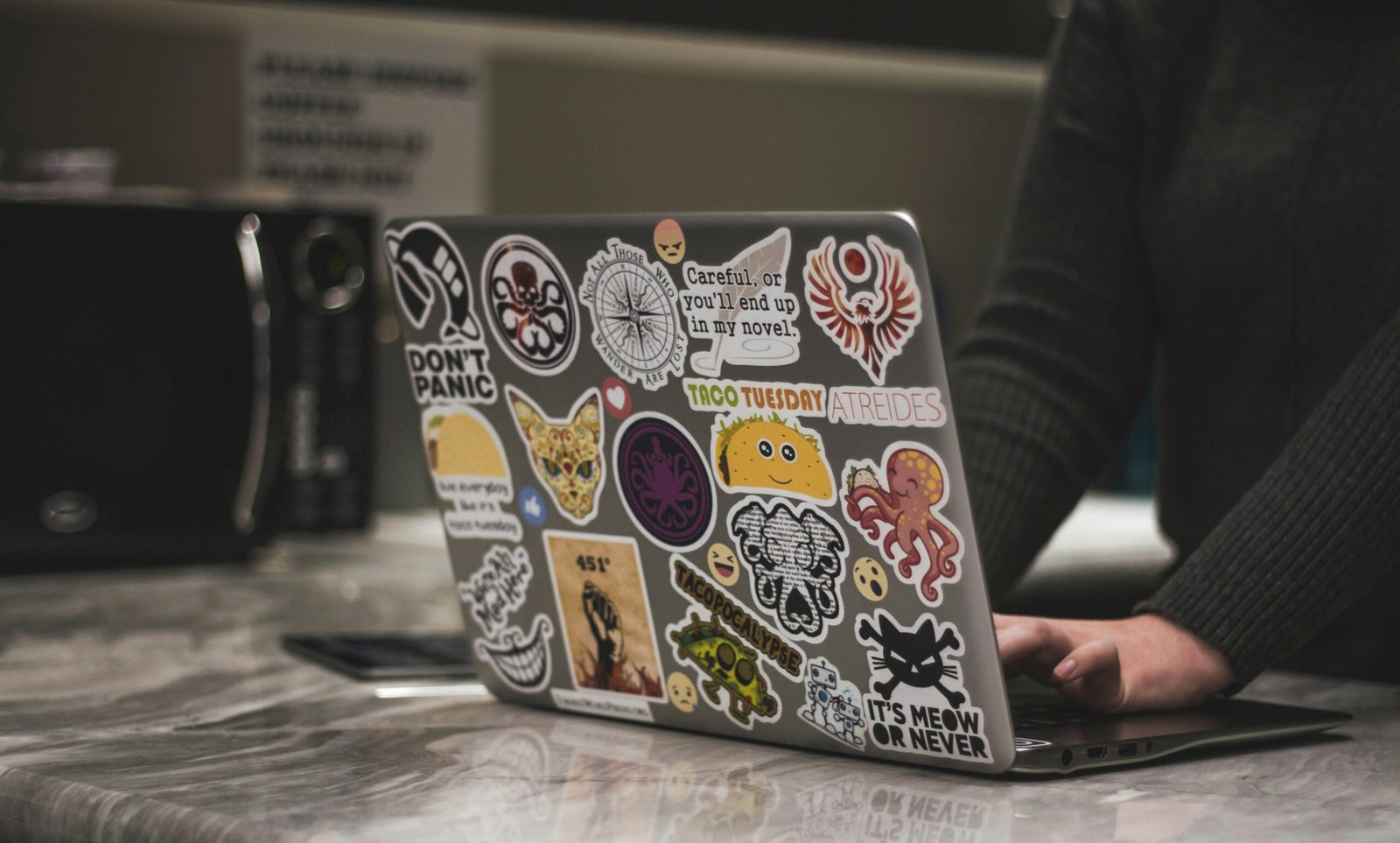
- Aesthetics: The back is visible during use in cafes, offices, and classrooms — stylish backs enhance personality.
- Upgradability: Many laptops allow access to RAM, SSD, or battery through the back panel.
Functional Aspects of Laptop Back Design
1. Cooling Vents and Airflow
The most critical function of the laptop back is heat management. Gaming laptops often have large exhaust vents at the rear, ensuring hot air flows away from the user. On the other hand, ultrabooks use slim hidden vents for a minimalist look.
- Gaming Laptops: ASUS ROG, MSI, Alienware → large RGB-vented back design.
- Ultrabooks: MacBook, Dell XPS → subtle vents hidden near the hinge.
Efficient back design ensures the laptop doesn’t throttle under heavy load.
2. Port Placement
Another major function of the back panel is connectivity. Many manufacturers place heavy ports (HDMI, charging, Ethernet) at the back to reduce clutter on the sides.
- Business laptops: ThinkPad, HP EliteBook → ports spread across sides + back for convenience.
- Gaming laptops: Ports often at the back to keep cables out of the way during play.
3. Battery and Components
Earlier laptops had removable batteries accessible via the back. In 2025, most modern laptops use integrated batteries, but some still allow easy access through back screws for replacement. High-end laptops also provide dedicated panels for upgrading RAM or SSD.
Aesthetic Aspects of Laptop Back Design
1. Materials
- Aluminum: Premium look, durability, lightweight (MacBook, Dell XPS).
- Plastic: Affordable, flexible, less durable (budget laptops).
- Carbon Fiber / Magnesium Alloy: Professional finish, strong but lightweight (ThinkPad, Surface).
- Glass / Transparent Panels: Trend in gaming laptops (Asus ROG Zephyrus special editions).
2. Colors and Finishes
Back panels are now part of personal style. Options include:
- Matte black (ThinkPad, Razer Blade)
- Silver aluminum (MacBook, HP Spectre)
- White and gold accents (Microsoft Surface)
- RGB or glowing logos (Alienware, ASUS ROG)
3. Branding & Logos
The back is the first thing people notice when you open your laptop. From the glowing Apple logo to aggressive gaming symbols, branding plays a huge role in appeal.
Durability & Build Quality
Back design also defines how long your laptop will survive. Features include:
- Scratch resistance (Gorilla Glass / anodized aluminum).
- Heat resistance (metal backs dissipate heat better).
- Drop resistance (MIL-STD certified ThinkPads).
- Spill protection (some business laptops have sealed backs).
Laptop Categories & Their Back Designs
1. Ultrabooks
- Slim, lightweight, minimal vents.
- Focus on elegance.
- Example: MacBook Air, Dell XPS 13.
2. Gaming Laptops
- Aggressive design with RGB lights.
- Large vents for cooling.
- Example: ASUS ROG, Alienware, MSI Stealth.
3. Business Laptops
- Professional, plain, strong build.
- Extra durability with carbon fiber or magnesium.
- Example: Lenovo ThinkPad, HP EliteBook.
4. 2-in-1 Convertibles
- Unique hinge and flexible back panel.
- Focus on portability.
- Example: HP Spectre x360, Lenovo Yoga.
Best Laptop Back Designs in 2025
1. Apple MacBook Pro 2025
- Sleek aluminum unibody.
- Clean back with subtle ventilation.
- Scratch-resistant finish.
2. Dell XPS 15
- Carbon fiber + aluminum hybrid.
- Elegant, durable, minimal design.
3. ASUS ROG Strix
- RGB-lit back with bold vents.
- Gaming-focused aggressive design.
4. HP Spectre x360
- Luxurious gold-accented back.
- Slim with flexible hinge design.
5. Lenovo ThinkPad X1 Carbon
- Rugged carbon fiber.
- Minimal branding, maximum durability.
Future Trends in Laptop Back Design (2025 & Beyond)
- Eco-Friendly Materials – recycled aluminum, biodegradable plastics.
- Transparent Backs – showing internals like gaming PCs.
- Customizable Skins – magnetic, swappable back covers.
- Thinner Yet Stronger Panels – nanomaterials replacing plastics.
- Integrated RGB & Logo Customization – personalization for users.
Conclusion
The back design of a laptop is more than just a cover — it defines the performance, durability, style, and user experience.
- Gamers should focus on cooling and aggressive vents.
- Business professionals need durable, plain backs with strong materials.
- Students and casual users often prefer slim, stylish designs.
- Creative professionals love premium aluminum finishes like MacBooks.
In 2025, manufacturers are combining aesthetics with engineering — giving us laptops that look beautiful, feel strong, and perform better than ever. So, the next time you buy a laptop, don’t just check the specs — flip it over and study the back design, because it might be the difference between an average and an extraordinary experience.